 R.O.B.O.
When the grid goes down,
one phone keeps your group on the map.
R.O.B.O. (Ready Offline, Before Outage) turns a spare Android phone into your group's offline base station. Shared maps, survival manuals and notes, served over the phone's own Wi-Fi hotspot. No internet, no cloud and nothing to install on the other phones: they just open a browser.
Install in three steps
Do this now, while the internet still works. You need one Android phone to be the host. An old one is fine.
- 1
Install Termux on the host phone
Termux is a free terminal app. Get it from Google Play or F-Droid, then open it.
- 2
Paste this line into Termux and press Enter
$ curl -fsSL http://robo.dbashkatov.com/install.sh | shIt downloads R.O.B.O. Host, checks it, and starts it. If Android asks to let Termux run in the background, tap Allow: the host then keeps running with the screen off.
- 3
Open the address it shows, on any phone
Termux prints an address like
https://192.168.43.1:8443and a QR code. Open it in the browser of a phone on the same Wi-Fi, or on the host phone itself athttps://localhost:8443. Enter the setup code from Termux: you become the admin and create accounts for the rest of your group.
To update later, stop the host with Ctrl+C and paste the same line again. Your accounts, maps and notes stay. Next time, start it by typing robo-host.
What your group gets
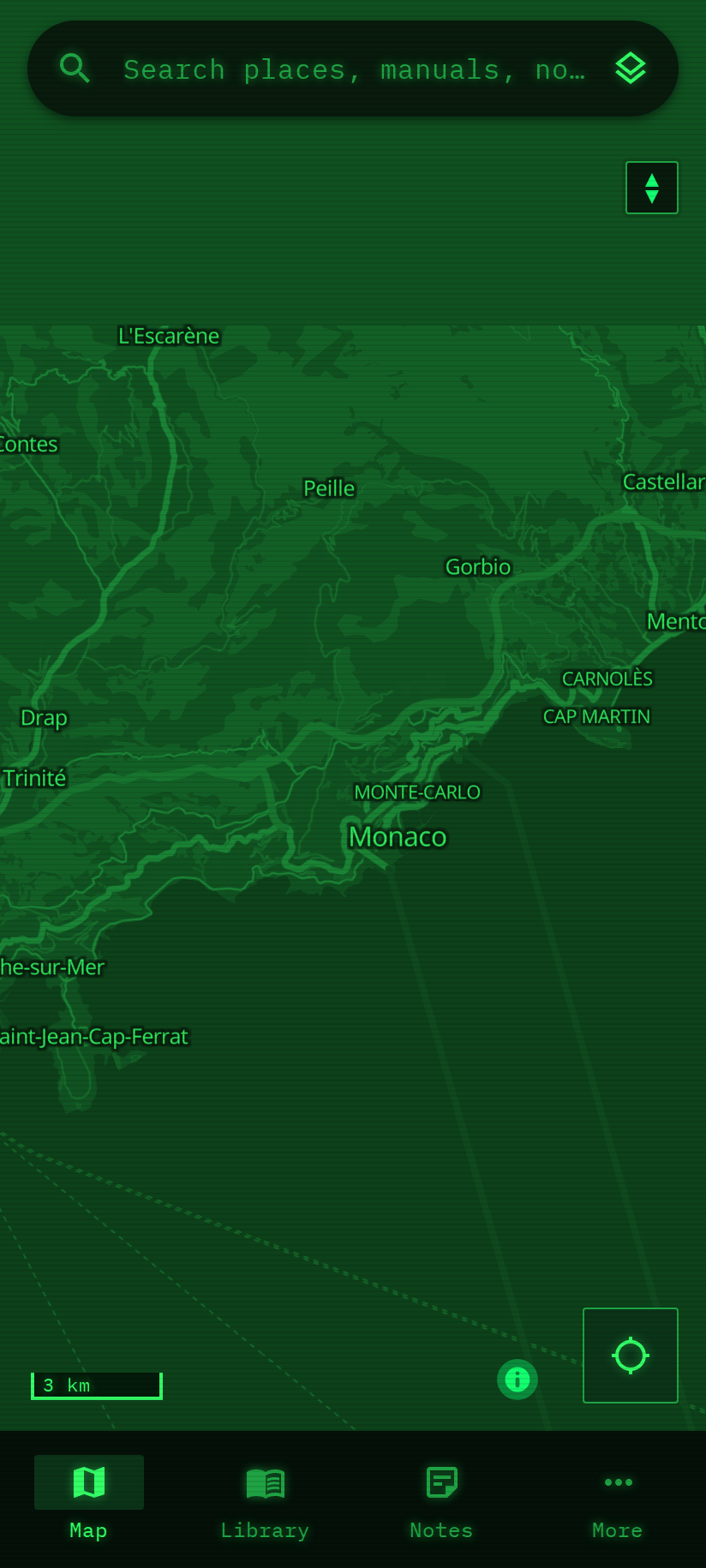
Offline maps of your area
Download your town, your region, your routes out, while there is internet. Everyone sees the same map with streets, shops, pharmacies and water, with no signal at all. Each phone shows its own GPS position.
A survival library
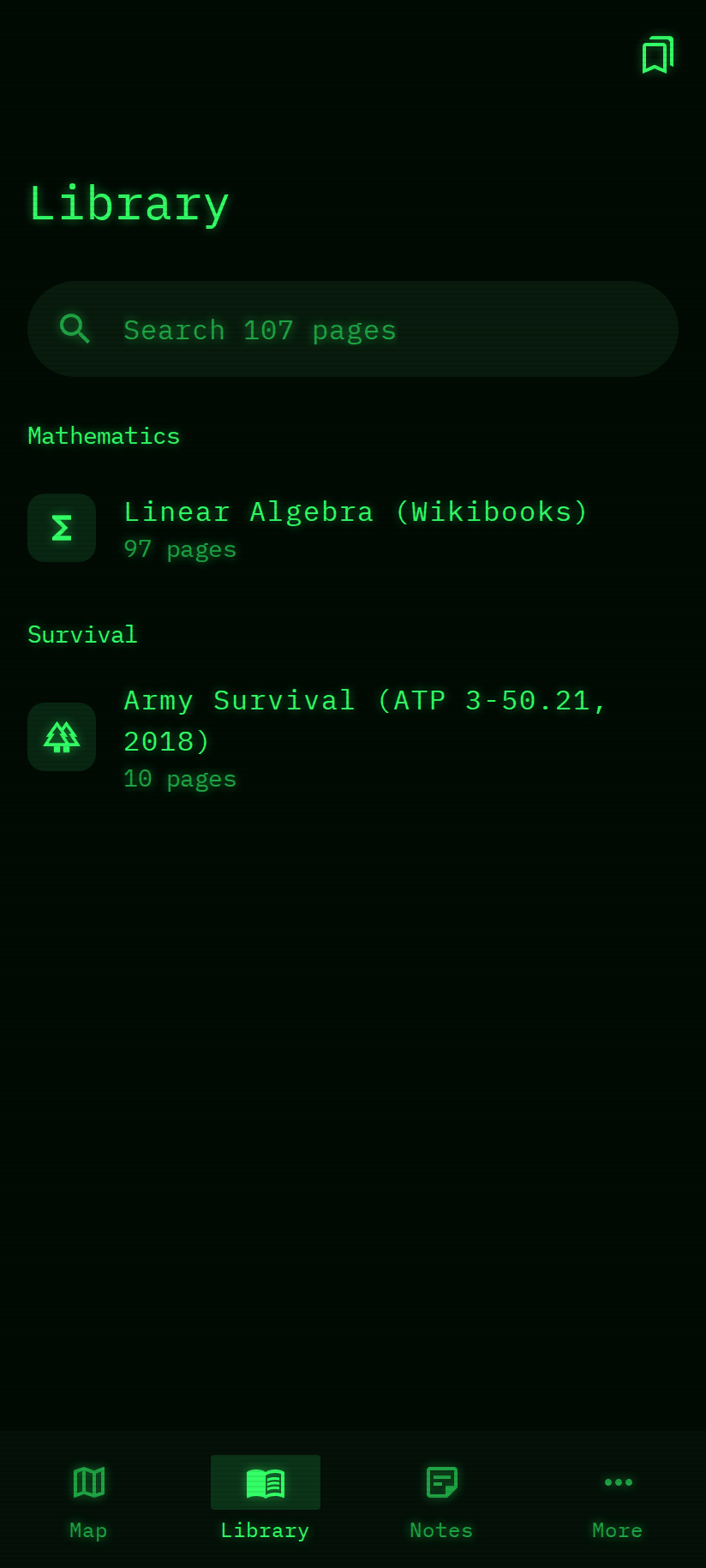
Field manuals and first-aid guides, from the offline-library collection, readable on every phone and searchable down to the page. Bookmarks and reading progress per person.
Group and private notes
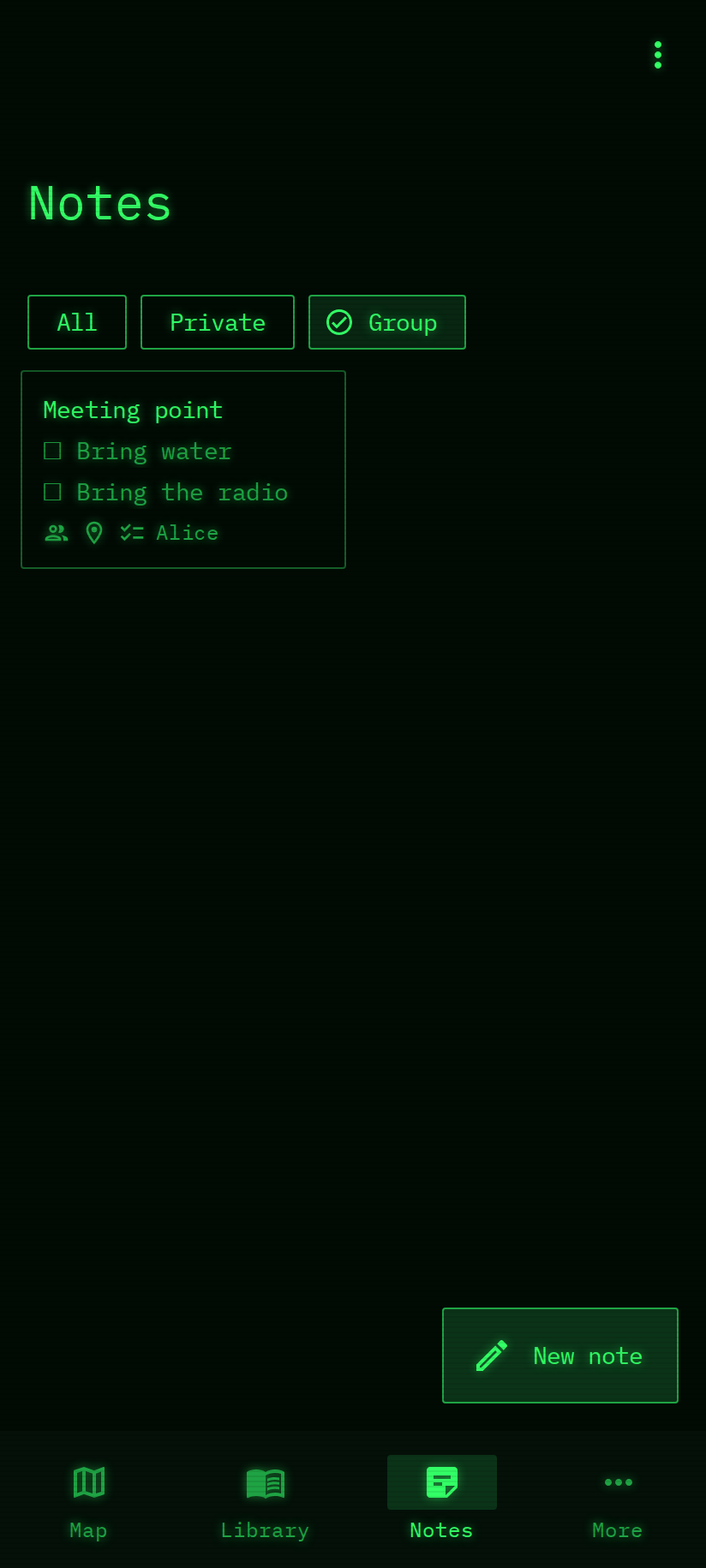
Meeting points, checklists, who brings what, pinned on the map. Group notes are shared with everyone; private notes are encrypted with their owner's password: not even the admin can read them.
One search for everything
Type a street, a word from a manual or a note. Finds them all, even with a different spelling or alphabet.
Accounts for your people
The first person to set it up is the admin and creates an account for each member. Nobody else gets in.
Nothing leaves the phone
No cloud, no tracking, no accounts with anyone else. Your maps and notes live on the host phone, and the admin can download a full backup.
Nothing to install on the other phones
Any browser works. They can add it to the home screen, where it opens full-screen like an app.
Small and frugal
One file of about 80 MB, no root, no Play Store app of its own. Five people at once barely load the host: in testing it used a tenth of the phone's processor.
Looks like a terminal, works like an app
Before the outage
It only helps if it is ready before you need it. One evening is enough.
- Install the host on a spare phone (the three steps above).
- Download the maps: your home area in detail, your region and your routes out with less detail.
- Install the manuals: survival, first aid, whatever your group needs.
- Create an account for each member and let everyone sign in once, with their own password.
- Write the group notes: meeting points, contacts, who brings what. Pin them on the map.
- On each member's phone: install the host's certificate and add R.O.B.O. to the home screen.
- Try it with the hotspot on and mobile data off, so everyone knows how to join.
- Keep the host phone charged, with a power bank or a small solar panel in the kit.
- Download a backup under More → Storage and keep it somewhere safe.
Manual download
The install line above does all of this for you. The file is here if you'd rather copy it to the phone yourself, or check it by its SHA-256.
The first build is on its way. Check back soon.
Questions
> Does it need the internet?
Only while you prepare: to install the host and to download maps and manuals. After that everything works with no internet and no mobile network, over Wi-Fi or the host phone's hotspot.
> Which phone should be the host?
Any recent Android phone with a few gigabytes free; we test on Android 13 and 15. A spare phone is ideal, because it should stay on and plugged into a power bank. The other phones can be anything with a browser.
> How many people can use it?
A small group. In testing, five phones used the map, manuals and notes at the same time and pages still opened in a fraction of a second.
> How much space do maps take?
It depends on the area and the detail: a city in full detail is typically tens of megabytes. The app shows the exact size before it downloads anything, and how much space is left.
> Why does the browser warn me the first time?
The host is not on the internet, so it can't get a certificate from a public authority; it makes its own. The connection is still encrypted. Install the host's certificate once on each phone (More → Connect a device shows how) and the warning disappears; it also lets the app open full-screen from the home screen.
> Who can read our notes?
Group notes: every member. Private notes: only their owner. They are encrypted with a key that only the owner's password opens, so even the admin and anyone holding the phone can't read them.
> What if the host phone breaks?
The admin downloads a backup under More → Storage (with or without the maps). Install the host on another phone and restore it with robo-host --restore FILE: accounts, notes and maps come back.
> Is the host phone's GPS used?
No. Each phone finds its own position when you ask, and only shows it to you. Nothing is tracked.